Payment methods
The ways your customers pay, on one checkout.
Local debit networks, international cards and digital wallets on the Teyra Pay checkout, in Arabic or English. Which ones appear depends on your country and your account.
- KNET



American Express on supported accounts. Availability depends on your country and account.
Methods by market
Cards, Apple Pay and Google Pay work on every account. Local methods depend on your account: if it supports them, they appear on your checkout with no extra code.
| Method | How your customer pays | Kuwait accounts | UAE accounts |
|---|---|---|---|
| mada | Pays with a mada debit card on the checkout. | On supported accounts | Not available |
| KNET | Chooses KNET, approves the payment on their bank's page and comes back. | On supported accounts, in KWD | Not available |
| Visa, Mastercard and other cards | Types the card details into secure fields on the checkout. | Every account | Every account |
| American Express | Types the card details into secure fields on the checkout. | On supported accounts | On supported accounts |
| Apple Pay | Pays with a card in Apple Wallet, in Safari on a supported device. | Every account, on supported devices | Every account, on supported devices |
| Google Pay | Pays with a saved Google Pay card, in a supported browser. | Every account, on supported devices | Every account, on supported devices |
| STC Pay | Pays from their STC Pay wallet. | On supported accounts[To be confirmed] | Not available |
mada
Pays with a mada debit card on the checkout.
- Kuwait accounts
- On supported accounts
- UAE accounts
- Not available
KNET
Chooses KNET, approves the payment on their bank's page and comes back.
- Kuwait accounts
- On supported accounts, in KWD
- UAE accounts
- Not available
Visa, Mastercard and other cards
Types the card details into secure fields on the checkout.
- Kuwait accounts
- Every account
- UAE accounts
- Every account
American Express
Types the card details into secure fields on the checkout.
- Kuwait accounts
- On supported accounts
- UAE accounts
- On supported accounts
Apple Pay
Pays with a card in Apple Wallet, in Safari on a supported device.
- Kuwait accounts
- Every account, on supported devices
- UAE accounts
- Every account, on supported devices
Google Pay
Pays with a saved Google Pay card, in a supported browser.
- Kuwait accounts
- Every account, on supported devices
- UAE accounts
- Every account, on supported devices
STC Pay
Pays from their STC Pay wallet.
- Kuwait accounts
- On supported accounts[To be confirmed]
- UAE accounts
- Not available
Availability depends on your country and account. Not sure what your account supports? Ask our team, or try it in test mode: a method your account doesn't take is refused straight away, before anything is created.
Payment methods in the docs (opens in a new tab)A checkout your customers recognise
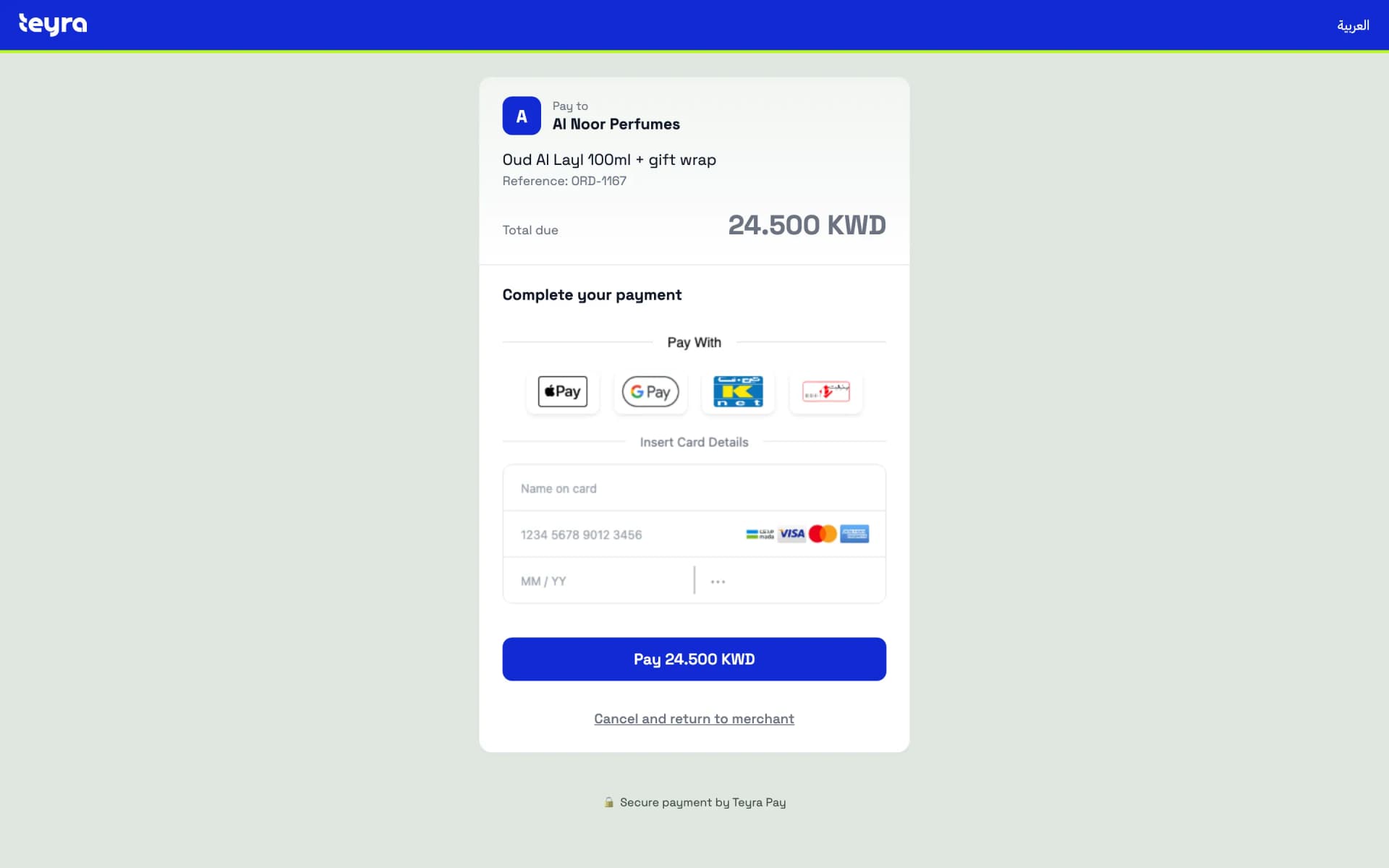
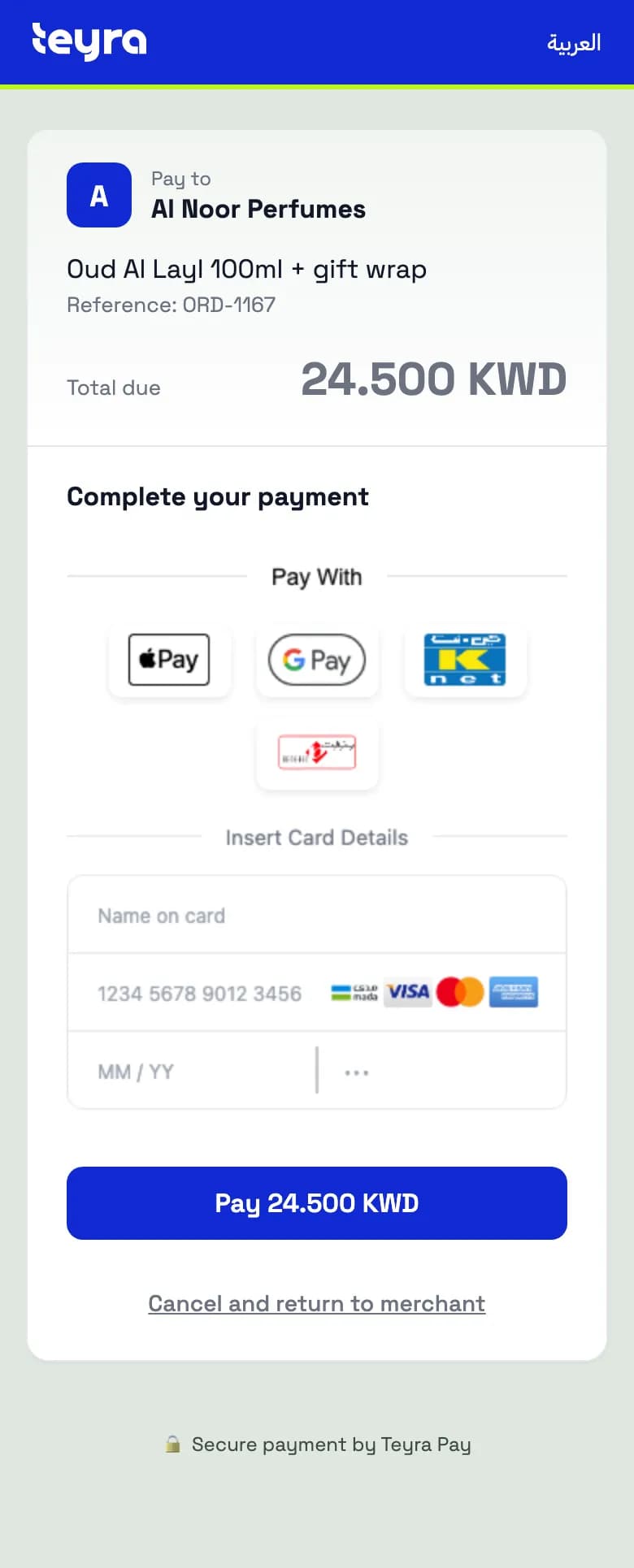
Every account uses the same Teyra Pay checkout. You create the payment, your customer pays, and they come back to your site with the result.
- Arabic or English, chosen for each payment.
- Only the methods that fit: the checkout shows every method your account supports for the currency and the customer's device.
- Apple Pay and Google Pay appear on their own when the customer's device and browser support them.
- Card details are typed into secure fields served by the card processor. They never reach your servers or ours.
- Your customer returns to your site with the payment status, and you confirm it from the webhook or the API.
Example data
Exact amounts in KWD and AED
Amounts are exact in each currency's smallest unit, so Kuwaiti dinars are correct to the last fils.
KWDKuwaiti dinar
- 3 decimals
- 1 KWD = 1,000 fils
- For example
- 13.500 KWD
AEDUAE dirham
- 2 decimals
- 1 AED = 100 fils
- For example
- 250.00 AED
On some accounts, KWD amounts end in 0
Some accounts, including UAE accounts, only take three-decimal amounts that end in 0: 1.250 KWD is accepted, 1.255 KWD is not. Round KWD prices to the nearest 10 fils and your amounts work on any account. AED amounts are not affected.
Money and currencies in the docs (opens in a new tab)What depends on your account
The integration is the same everywhere: the same checkout, the same API and the same webhooks. When your account is approved, Teyra Pay connects it to the card-processing setup that fits your country.
Kuwait
KWDKuwaiti dinar
- Cards, Apple Pay and Google Pay.
- KNET and mada on accounts that support them.
- With KNET, your customer approves the payment on their bank's page and comes back. 3-D Secure for cards may also happen on the bank's page.
United Arab Emirates
AEDUAE dirham
- Cards, Apple Pay and Google Pay.
- 3-D Secure opens in a window on top of the checkout, so your customer never leaves the page.
- A declined card shows the bank's reason and a Try again button. The payment stays payable until it expires.
- Disputes appear in your dashboard with their status and respond-by date.
Payment method questions
Something else on your mind? Our team can tell you exactly what your account supports.
Can I choose which methods appear on my checkout?
By default, the checkout shows every method your account supports for the currency and the customer's device, which suits most businesses. If you integrate with the API, you can limit a payment to one method.
Why isn't KNET showing on my checkout?
KNET is available on accounts that support it, for payments in Kuwaiti dinars. If your account doesn't support it yet, or the payment is in another currency, KNET won't appear. Ask our team about your account.
Do Apple Pay and Google Pay work on every device?
They appear only where the device and browser support them: Apple Pay in Safari with a card in Apple Wallet, and Google Pay in a browser with a saved Google Pay card. Everyone else sees the other methods.
Do you accept American Express?
Yes, on supported accounts. Ask our team whether yours is one of them.
Does the fee change with the payment method?
No. You pay one Teyra Pay price on every payment, whatever method your customer uses.
The next step is visible.
Find out which methods your business can offer. Talk to our team, or create an account and try them in test mode.