Send an invoice, get paid.
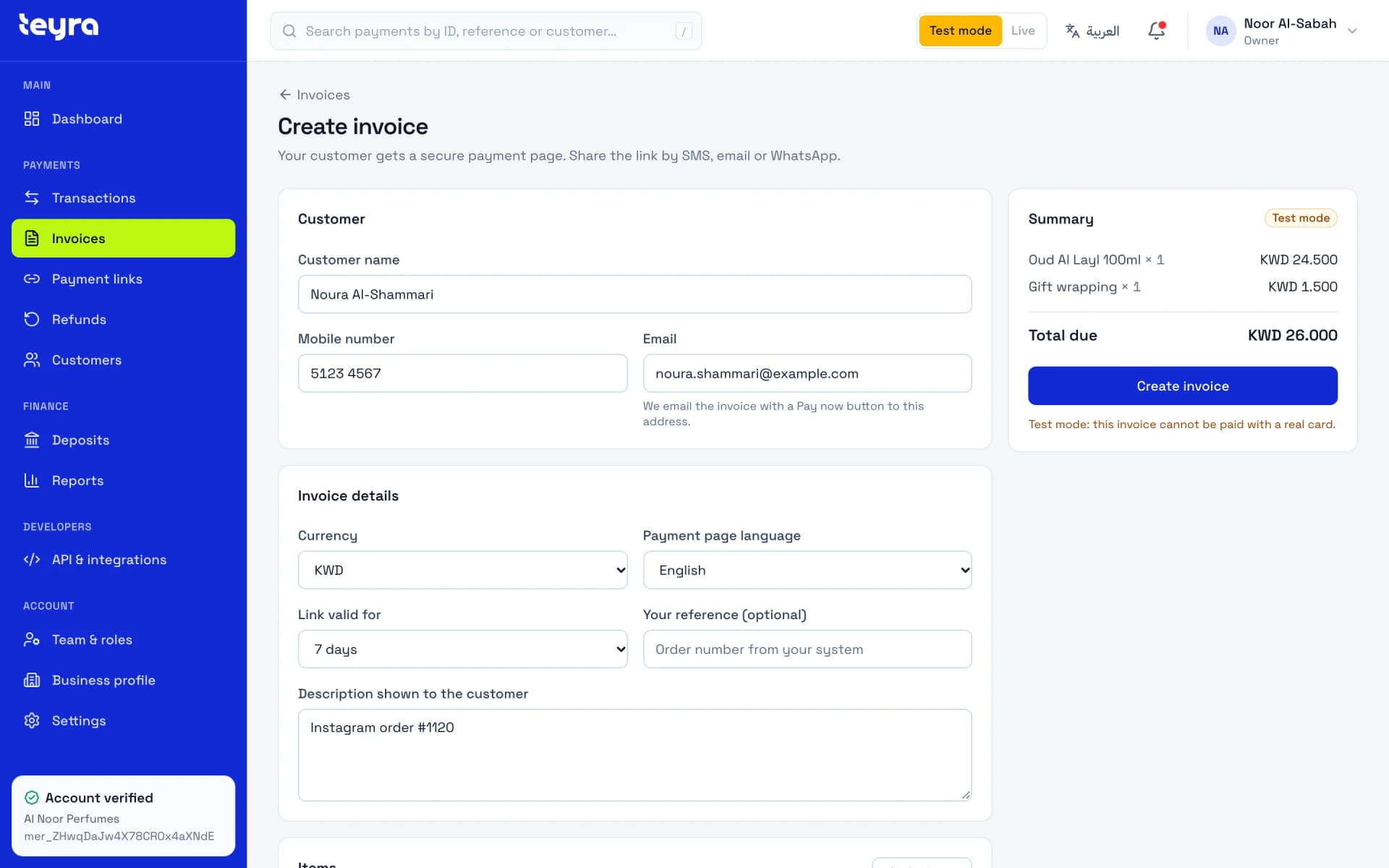
Add your items, and Teyra Pay emails your customer an invoice with a Pay now button, in your business name and in Arabic or English.
Example data
Everything on the invoice, nothing extra.
One screen to build it. Your customer sees only what they pay.
Add up to 18 items, each with a quantity and a unit price. The total uses the currency's exact decimals.
Choose Arabic or English for each invoice. The payment page and both emails follow your choice.
Add your customer's email and Teyra Pay sends the invoice for you. For SMS or WhatsApp, copy the link and share it yourself.
Keep the link open for 1, 3, 7, 14 or 30 days. An unpaid invoice expires on its own after that.
See every invoice as awaiting payment, paid, failed, expired or cancelled, and resend an unpaid one by email.
Emails in your name.
Your business name is in the sender name and at the top of every email. Replies go to your support email.
- The invoice
- The amount, the description, your business name and a Pay now button.
- The receipt
- Sent once the payment succeeds: the amount, the date, the method with the card brand and last four digits, and your reference.
Teyra Pay fees never appear in customer emails. You can turn receipts off in Business settings.
Example data
From invoice to deposit.
- 1
Create the invoice
Add your customer, the items and how long the link stays open.
Next: it reaches your customer.
- 2
We email it
Teyra Pay emails it with a Pay now button, or you copy the link and share it yourself.
Next: your customer pays.
- 3
Your customer pays
On the Teyra Pay checkout, in the language you chose. A receipt follows by email.
Next: you see it as paid.
- 4
You see it as paid
The invoice shows as paid in your dashboard, and the money is part of your next deposit.
Refunds from the same dashboard.
Refund a paid invoice in full or in part. You can make more than one partial refund until the whole amount is back with your customer.
How refunds work (opens in a new tab)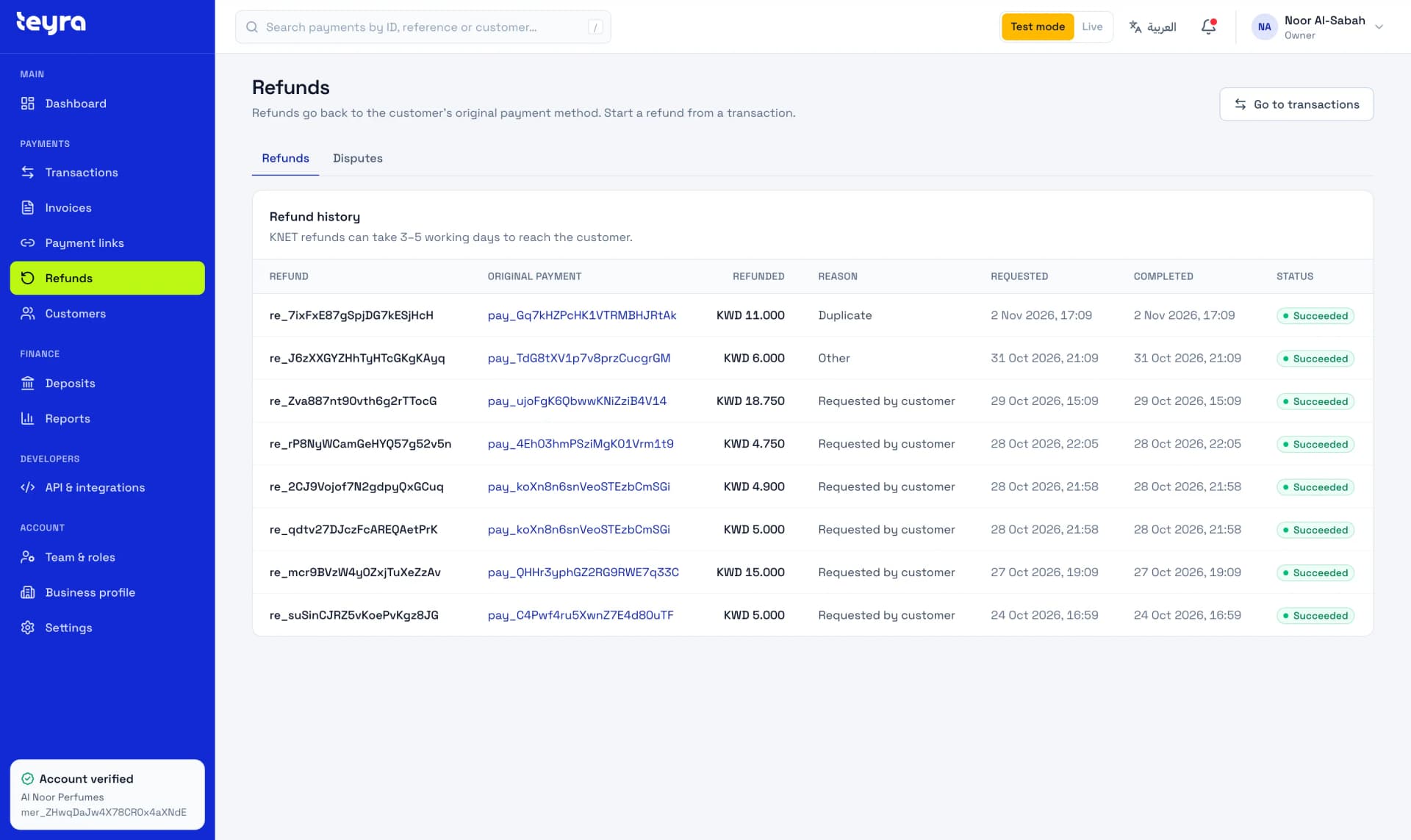
Questions about invoices
Short answers. The docs have the details.
Does my customer need an account?
No. They open the email, tap Pay now and pay on the Teyra Pay checkout.
Can Teyra Pay send the invoice by WhatsApp or SMS?
No. Teyra Pay sends invoices by email. To use SMS or WhatsApp, copy the invoice link from your dashboard and share it yourself.
What happens after the pay-before date?
The invoice expires and can no longer be paid. If your customer still wants to pay, create a new invoice.
Can I send the invoice again?
Yes, while it's still waiting for payment and hasn't expired. Each invoice can be emailed up to 3 times an hour, the first email included.
Can I turn off receipts?
Yes. Turn off Email receipts to customers in Settings, under Business settings. Invoice emails aren't affected.
The next step is visible.
Create an account and send yourself a test invoice today. Test invoices are emailed too.