Every payment. A clear status.
See which orders are paid, what's pending and when your next deposit lands, in a dashboard in Arabic or English for you and your team.
Example data
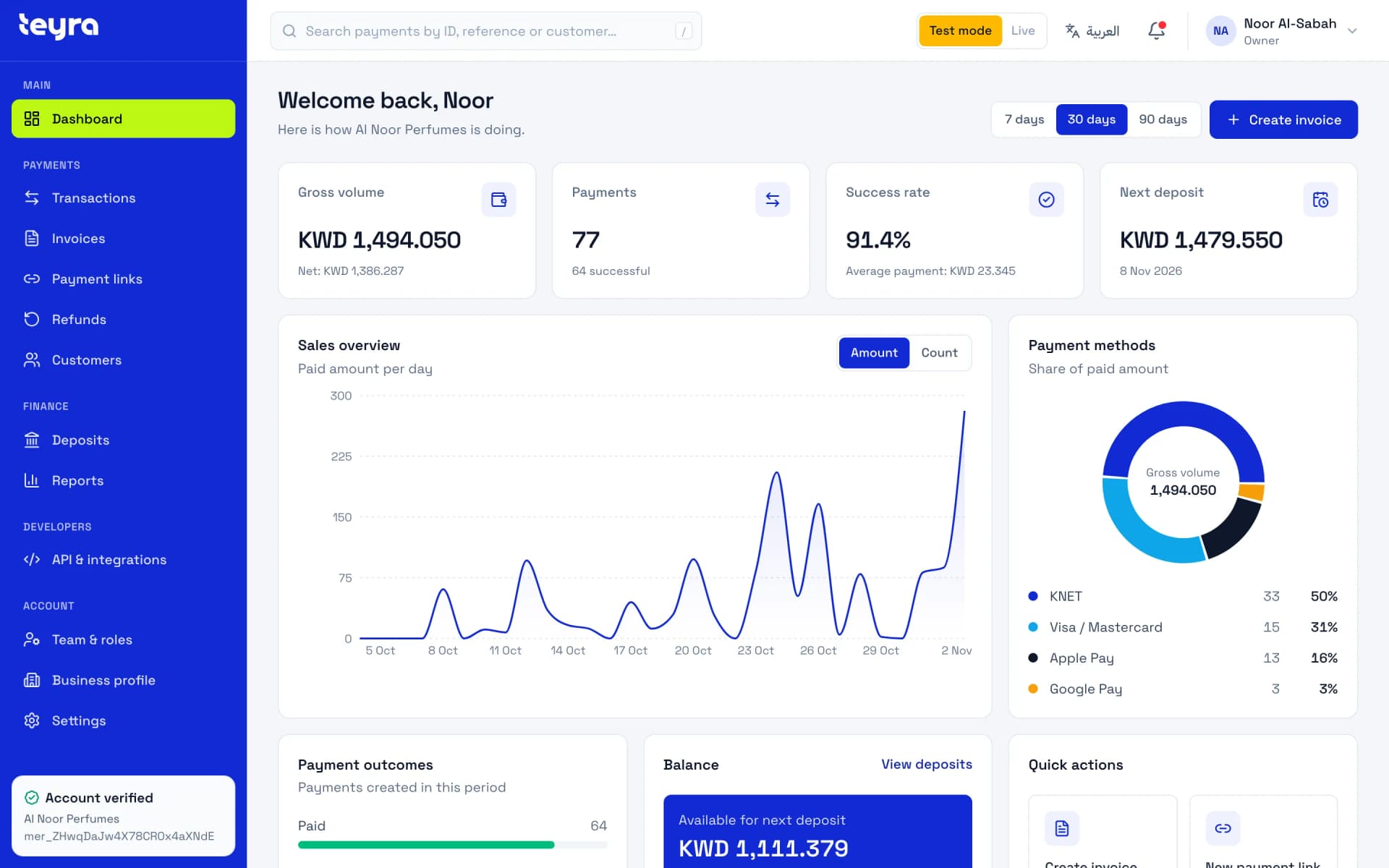
Answers, not spreadsheets.
What's been paid, what's still pending and what needs you next, on one screen each.
Example data
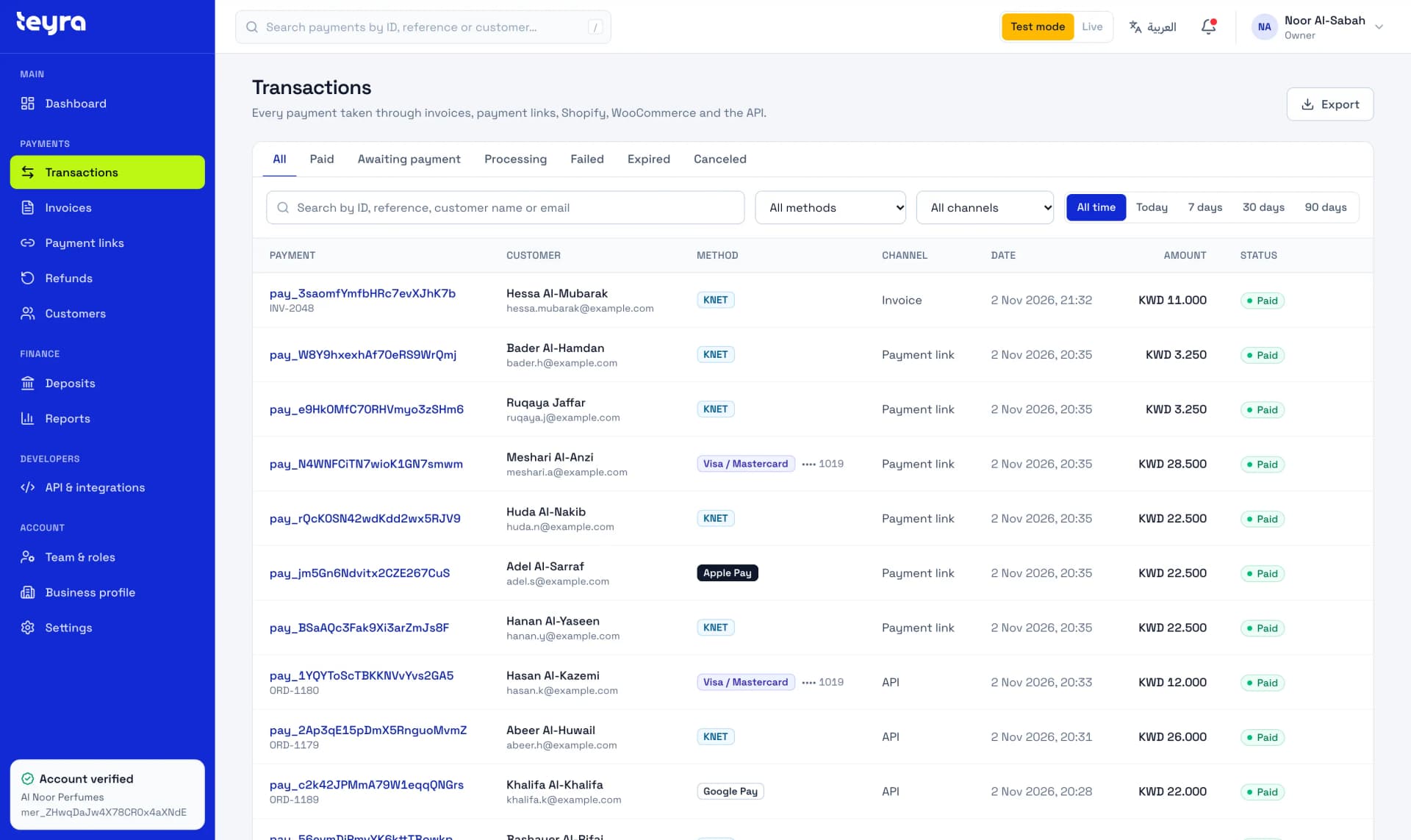
Search by payment ID, reference or customer, and filter by status, method and channel.
Example data
Every payment shows the amount, the Teyra Pay fee and the net amount you receive.
Refund in full or in part. If a card issuer disputes a payment, you see its status and respond-by date, and account owners get an email.
What's available for your next deposit, when it lands and the bank reference for each one, on a daily, weekly or monthly schedule.
Everyone who has paid you or been asked to pay, grouped by email from your payments.
Download your payments as a CSV file: one row per payment, with the Teyra Pay fee, the net amount and any refunds.
Test first. Go live when you're verified.
Switch between test and live data from any page. Test keys work from the day you sign up, before your account is approved, and test payments never move real money.
- Test keys from day one
- Test payments are emailed too, so you can check what customers receive
- Live keys once your business is verified
Your team
Everyone sees what they need.
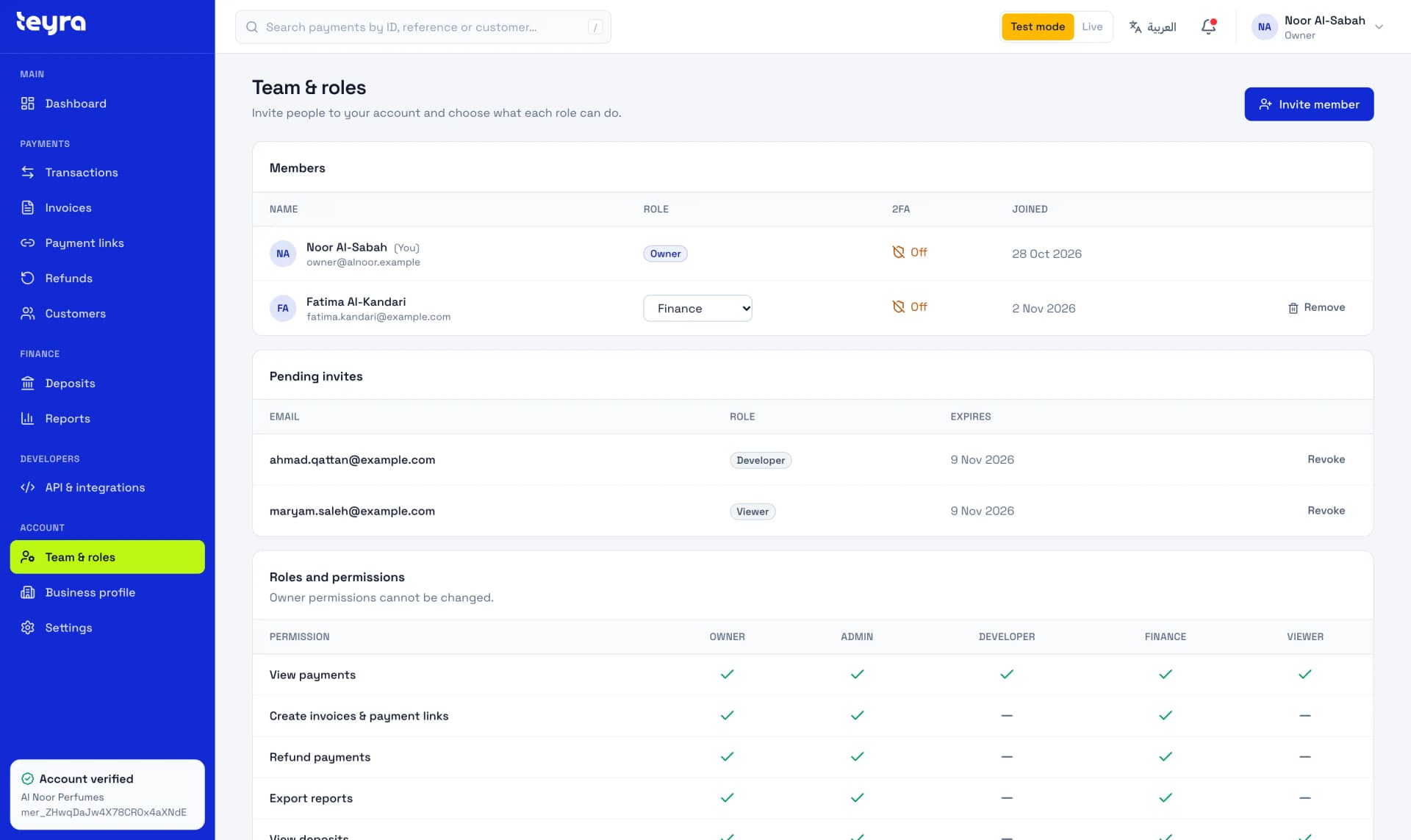
Invite teammates with their own logins and choose a role for each. Only owners and admins can manage the team.
Sign-in that protects the money.
- Two-factor sign-in, with recovery codes
- A password check before anyone creates live keys or changes two-factor
- Change a teammate's role or remove them at any time
Roles
Owner
Everything, including the team and your verification details. Owner permissions can't be changed.
Admin
Everything an owner can do: payments, refunds, deposits, reports, API keys, settings and the team.
Developer
API keys and webhooks, with read-only access to payments.
Finance
Payments, invoices and payment links, refunds, deposits and report exports.
Viewer
Read-only access to payments and deposits.
Example data
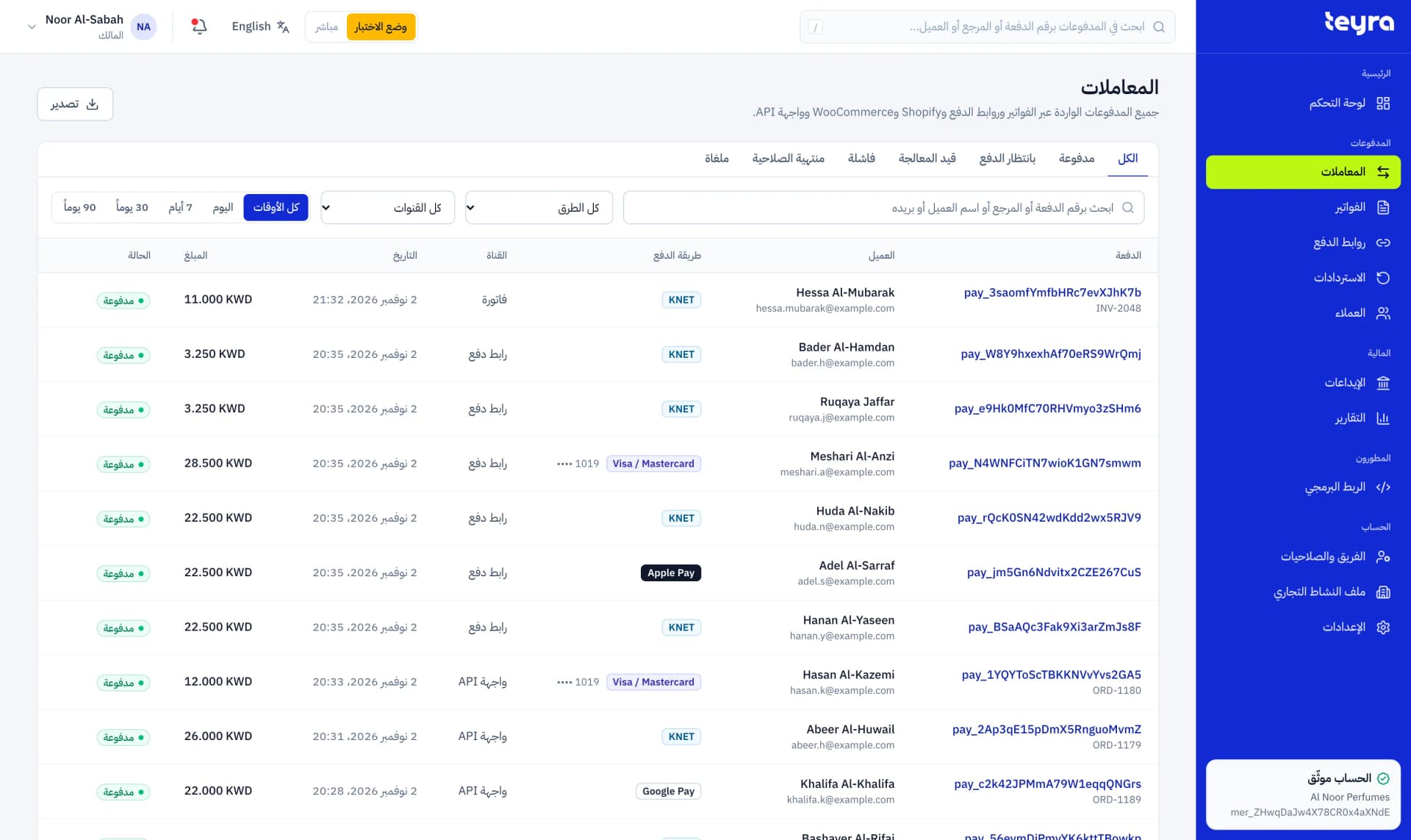
Built in Arabic and English.
The same screen in both languages, with amounts, IDs and statuses that read correctly in each. Switch from any page.
English
Example data
Arabic
Example data
Getting verified.
You upload your documents in the dashboard, and it shows the exact list for your account. Test mode works while we review them.
Individuals
Freelancers and home businesses.
- Personal ID, front and back
- A bank letter
Companies
Registered companies.
- Personal ID
- Commercial licence
- Commercial register
- Articles of association
- Signature authorisation
- A bank letter
Charities
Licensed charities.
- Licence
- Board agreement
- List of regulations
- A bank letter
The next step is visible.
Create an account and explore the dashboard in test mode.